






FAQs
Which Nuuk devices are smart and can be operated via the Nuuk App?
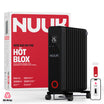
Currently, Nuuk HÖT BLOX is smart. We are launching Nuuk Smart Halo soon. Both these, and all upcoming smart devices, will be able to connect to the Nuuk App.
Why can’t my Nuuk HÖT BLOX connect to the app?
Please check the following before pairing:
- Make sure you’re in an area with good Wi-Fi connectivity.
- Ensure your phone’s Bluetooth is turned on during the first pairing.
- Verify that your phone is connected to a 2.4 GHz Wi-Fi network (NUUK devices require a 2.4 GHz network to connect).
- Keep your phone close to the device (within 1–2 meters) during setup.
- Ensure that you’ve set the HÖT BLOX in pairing mode by long pressing the Mode button and letting the countdown finish. When in pairing mode, you will see the Wi-Fi symbol blinking on your HÖT BLOX.
- If pairing still fails, restart your phone and the HÖT BLOX, and try again.
Why does the app ask for Bluetooth permission?
Bluetooth is only used once during the first-time setup to discover and pair your HÖT BLOX quickly. After setup, the device connects to Wi-Fi directly and Bluetooth is no longer required for control. You will then be able to access your HÖT BLOX as long as your Wi-Fi connection is available and your phone has a valid data connection.
Do I need to keep Bluetooth on after pairing?
No. Once your HÖT BLOX is connected to Wi-Fi, you can turn off Bluetooth.
All further commands (temperature control, mode change, scheduling) will work over Wi-Fi or mobile data
Why does the app ask for location permission?
Some Android phones require location access to scan for Wi-Fi networks during device setup. Nuuk never tracks or stores your location - this permission is purely technical and temporary.
Can I use the app on multiple phones?
Yes. Log in to your Nuuk account on any device using the same credentials.
Your HÖT BLOX will automatically sync across them.
What if my Wi-Fi changes or I move homes?
If your Wi-Fi network changes (SSID or password), simply unpair your HÖT BLOX and repeat the pairing process in the app.
The app will guide you through reconnecting to the new network.
Does Nuuk App work on both Android and iOS?
Yes, the Nuuk App is available on both Android and iOS devices.
Make sure you’re using the latest version for best performance.
Where is my data stored?
Your data — including device settings, preferences, and activity logs — is securely stored in Tuya Cloud Data Centers located in Mumbai, India. We comply with all applicable Indian data protection and privacy regulations.
Is my data shared with anyone?
No. Nuuk does not share your data with third parties
What if the app shows my HÖT BLOX as “Offline”?
This usually happens if:
- Your Wi-Fi network is down or unstable.
- The HÖT BLOX is unplugged or out of Wi-Fi range.
- The router has been restarted and the IP address changed.
In most cases, the device reconnects automatically once the Wi-Fi stabilizes.
If not, restart the HÖT BLOX and reopen the app.