


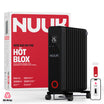
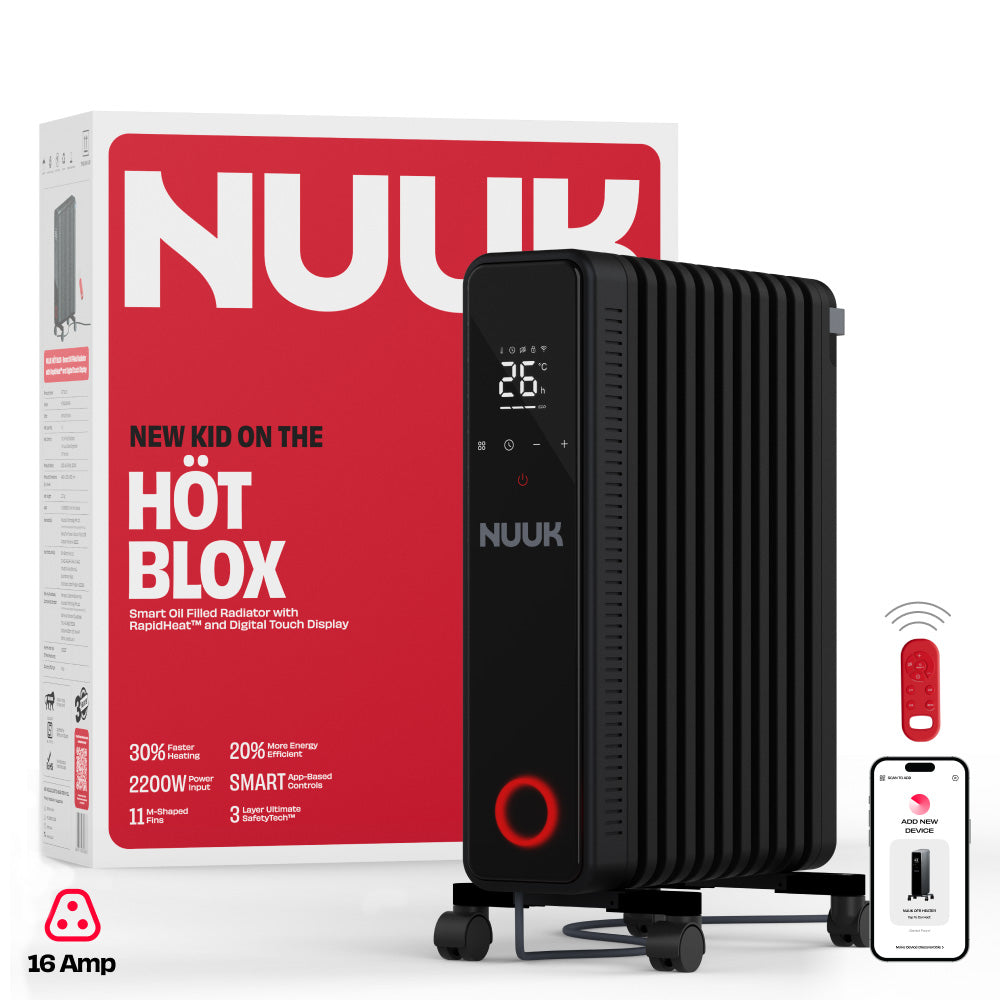


HÖT BLOX | Smart Oil Filled Radiator Heater with RapidHeat™ Tech
India's most energy-efficient, intelligent oil-filled radiator with Smart App Connectivity for faster heating and more energy savings.

2200 W

RapidHeat™ Tech

Intelligent Eco Mode

30% Faster Heating

20% Energy Saving

11 M Shaped Fins

3 layer Safety Tech

App Connectivity

Remote Control

Made In India

2+1 Year Warranty
MRP incl. of all taxes


Technical Specifications
Material and Care
In the Box
Additional Details



Things people often wonder
HOTBLOX offers three fixed heat modes H1, H2, and H3, and one smart mode called Eco! H1 (1000W): Lowest heat setting, ideal for mild winter days or small rooms. H2 (1200W): Medium heat for moderate cold. H3 (2200W): Maximum power for rapid heating or very cold conditions.
Eco Mode automatically adjusts HOTBLOX’s power to maintain your set room temperature while saving energy. It switches between heating levels (1000W–2200W) based on the room’s needs. When paired with the Nuuk App, you can also track your energy usage and savings in real time.
HOTBLOX uses diathermic oil, a heat-transfer fluid sealed inside the unit. It’s non-toxic, thermally stable, and never needs to be replaced during the product’s lifetime.
Yes, it connects via Wi-Fi and can be controlled using the Nuuk App. Simply long press the mode button and wait for the wifi icon to start flashing, then follow the steps outlined on the app
Always plug HOTBLOX directly into a power socket that supports 16A current. If you need to use an extension socket, ensure it is capable of handling a 16A current.
No, it must be used indoors only and away from water or wet conditions. Do not expose the OFR to water or operate it in wet conditions such as bathrooms, near pools or rain.
Always unplug HOT BLOX before cleaning. Use a dry, soft cloth to wipe the surface. Avoid using water, abrasive materials, or corrosive cleaners to prevent damage. Never immerse the unit in water.
Check the 16A socket, power cord, and plug. Ensure the power outlet works by testing with another device.
A slight smell during the first few uses is normal, as it comes from post-production cleaning cream. Simply wipe the heater with a microfiber cloth and run it in an open, well-ventilated room for a few hours to clear the smell. If the smell continues even after this, please turn the unit off and reach out to us.
Currently, Nuuk HÖT BLOX is smart. We are launching Nuuk Smart Halo soon. Both these, and all upcoming smart devices, will be able to connect to the Nuuk App.
Please check the following before pairing: Make sure you’re in an area with good Wi-Fi connectivity. Ensure your phone’s Bluetooth is turned on during the first pairing. Verify that your phone is connected to a 2.4 GHz Wi-Fi network (NUUK devices require a 2.4 GHz network to connect). Keep your phone close to the device (within 1–2 meters) during setup. Ensure that you’ve set the HÖT BLOX in pairing mode by long pressing the Mode button and letting the countdown finish. When in pairing mode, you will see the Wi-Fi symbol blinking on your HÖT BLOX. If pairing still fails, restart your phone and the HÖT BLOX, and try again.
Bluetooth is only used once during the first-time setup to discover and pair your HÖT BLOX quickly. After setup, the device connects to Wi-Fi directly and Bluetooth is no longer required for control. You will then be able to access your HÖT BLOX as long as your Wi-Fi connection is available and your phone has a valid data connection.
No. Once your HÖT BLOX is connected to Wi-Fi, you can turn off Bluetooth. All further commands (temperature control, mode change, scheduling) will work over Wi-Fi or mobile data.
Some Android phones require location access to scan for Wi-Fi networks during device setup. Nuuk never tracks or stores your location — this permission is purely technical and temporary.
Yes. Log in to your Nuuk account on any device using the same credentials. Your HÖT BLOX will automatically sync across them.
On iOS devices, Apple applies very strict security and privacy rules around Wi-Fi access. Unlike Android, iOS does not allow apps to scan and display nearby Wi-Fi network names unless Apple grants special system-level permissions. For Nuuk Hot Blox, we made a conscious decision not to use any workarounds that could bypass Apple’s security framework. While some methods may appear to make setup easier, they can compromise user privacy, risk app instability, or lead to the app being blocked or removed during Apple’s review process. To ensure your Wi-Fi credentials and network data remain secure, Wi-Fi details need to be entered manually during setup on iOS devices. Please remember that both the network name as well as the password are case sensitive.
We intentionally chose not to include a scheduling feature on Nuuk Höt Blox to ensure user safety and enable responsible use. Heaters draw high power (upto 2200W in the case of Höt Blox) and generate sustained heat. If a schedule is set and later forgotten, for example, while you’re away from home, the heater could continue running unattended for long periods. This increases safety risk and can also lead to unexpectedly high electricity bills. Therefore, we chose to design the Höt Blox for deliberate, conscious use, so as to prioritise user safety, energy awareness, and peace of mind.
People love HÖT BLOX