









HOW-TO VIDEO
FOLDE
FOLDE
FAQs
If your Nuuk FŌLDE is not turning on it may be because it is not charged. In this case, use any Type-C charger to recharge the fan and try turning it on again after it is sufficiently charged.
For a full charge you should charge your Nuuk FŌLDE for 4 hours.
It is possible that the Nuuk FŌLDE has been placed on an uneven surface or there is something stuck on the bottom of the fan that is causing the imbalance. Check the surface it is placed on and the base of the fan and make sure they are clear and level to ensure wobble-free cooling.
Don't worry at all. This is a battery optimisation feature. If you want to see the battery status again, just press the red button and you'll be able to see the charge level of your fan.
After it is fully charged, the battery of the Nuuk FŌLDE lasts 16 hours at low mode. At medium mode it lasts 8 hours. At high mode it lasts 5.5 hours. At turbo mode, the battery lasts for 3.5 hours.
Yes. The Nuuk FŌLDE can be used while it is being charged. It can also be used while it is not charging provided it has sufficient charge in the battery.
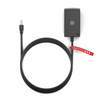
While we give a Type-C cable as part of the package, the Nuuk FŌLDE can be used with any other Type-C charger as well. It can also be charged using your laptop, desktop, power bank or car charger.
The Nuuk FŌLDE has 4 wind speeds. The speeds are Low, Medium, High and Turbo. You can set the mode to your comfort and can use the smart LED indicators on the fan to see which mode you are using.
The RPM at each mode are; Low Mode: 1550 RPM, Medium Mode: 1900 RPM, High Mode: 2200 RPM, Turbo Mode: 2500 RPM
To register your Nuuk FŌLDE for warranty just visit our warranty registration page on the link below. The product comes with a 1 year warranty and registering it with us makes you eligible to extend the warranty for an additional 3 months. https://nuuk.in/pages/folde-resources
While charging the fan, the LED light will blink for approximately 1 minute and then turn off automatically. If you want to check the charging status again, please press the on/off button. This feature helps optimise battery usage.